Cablecast Remote Support Tool
Overview
The Cablecast Remote Support Tool allows the Cablecast Customer Service Team to securely access your server when troubleshooting requires direct assistance. The tool is powered by RustDesk, a secure open-source remote desktop application.
How Do I Install the Cablecast Support Tool?
The Cablecast Support Tool is automatically installed with Cablecast version 7.10 or later. Any new servers that shipped beginning October 2025 will also have the Cablecast Support Tool installed.
Note: If you are running an earlier version of Cablecast, reach out to support@cablecast.tv or submit a case here to request an update.
Which Version of Cablecast Do I Have?
Go to ? → About in the left-hand menu and note the version number listed.
Cablecast Support Tool Installer
If you are unable to update to a supported version but still need remote assistance, you can download the standalone installer for the Cablecast Remote Support Tool here:
How do I Find My Connection ID & Password?
You will need direct access to your Cablecast server to view the Connection ID and Password.
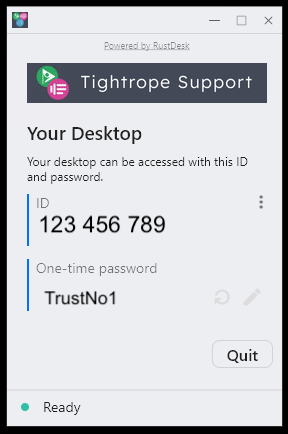
Open the Cablecast Remote Support Tool app on the Cablecast device.
The Connection ID and one-time password will be displayed.

Security
The Cablecast Support Tool sets a random 20-character password for each server on which the tool is installed. This password is stored in a secure vault that only Cablecast Support has access to.
Cablecast Support does not access customer environments unless you have an active support case with the Cablecast team and additional troubleshooting is required.
(Optional) Disabling Easy Access
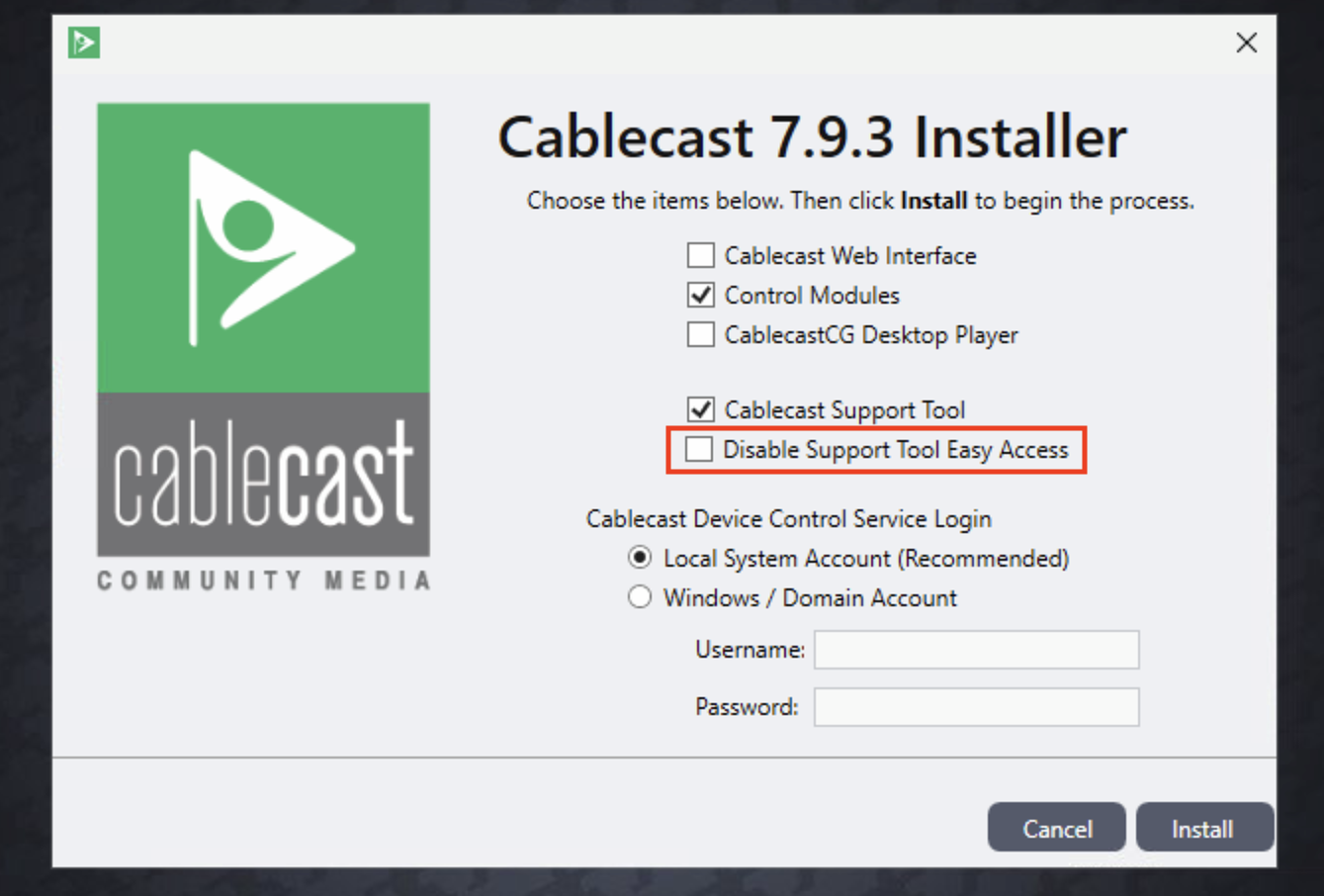
You can disable Easy Access by uninstalling and reinstalling Cablecast. During installation, you will be asked whether you would like to disable Easy Access.
Note: When Easy Access is disabled, resolving your issue may take additional time. You may be asked to provide your Connection ID and one-time password.
Frequently Asked Questions
Do I have to keep the Cablecast Support Tool installed?
No, but be aware that not having the tool installed may delay issue resolution. The Cablecast Support team will work with you to install it if needed.
Are there remote access alternatives?
If your organization does not allow the Cablecast Support Tool, the Platinum Support package allows for remote support using a tool of your choosing.
